
CurrentPostType =post
This is the default post content. To change the default post content please edit the
defaultpostcontent.txt file in the currentWorkingDir located at /home/bsanet/public_html/realestatetraining/wp-admin/defaultpostcontent.txt
Next Actions Post For Wednesday July 8th, 2026 at 6:02 am – Week 2 Marketing↑
Here is the default post contents:
Overview↑
This default post content is giving you an example of what is possible with the plugins and css files that I have installed. Its purpose is to give simple starting points for Authors to create content without thinking too much about the html. Whenever you find a useful technique that you want to be reminded about you can add it to this document. Then whenever you create a new post you will be reminded of how to accomplish that technique.
For a much more detailed explanation of what can be done you can see this blog post titled Using Crayon To Create Simple CSS Style Text For PRE Text That Is Not Code. I realize that is the worst title imaginable but it is where you can find all the details about the look and feel of the site.
Complicated Code Example with Crayon Plugin↑
This will allow you to write about code in your blog post with ease. Below we display some lines of code and highlight lines 2 and 4.
add_filter( 'default_content', 'my_editor_content', 10, 2 );
function my_editor_content( $content, $post ) {
	$currentWorkingDir =  getcwd();
	$currentPostType = $post->post_type;
	$content  = "CurrentPostType =". $currentPostType . "\n";
Bold in a Nutshell↑
Here is a span with the innerbold class
In Vim if you run ,b in normal mode you will get the span bold.
In Vim if you run ,B in normal mode you will get the div bold.
Here is a textboxfeature↑
Aligning Images For Logos↑
Here is a image in a textboxfeature↑
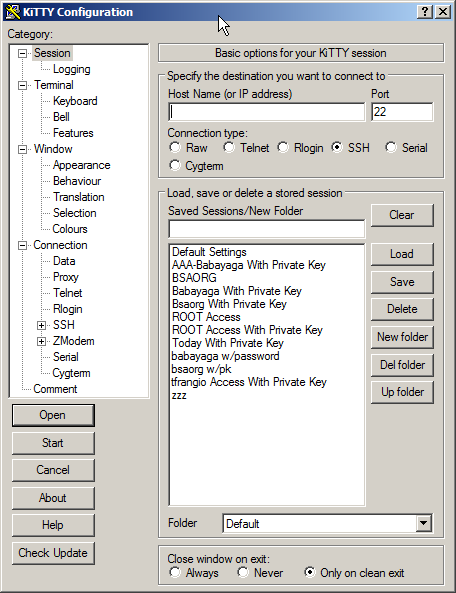
Example of highlighting text↑
In Vim if you run ,h in normal mode you will highlight the visual selection in yellow.
PHP 7.0.1 (cli) (built: Dec 27 2015 21:53:20) ( NTS )
Copyright (c) 1997-2015 The PHP Group
Zend Engine v3.0.0, Copyright (c) 1998-2015 Zend Technologies
with Xdebug v2.4.0RC3, Copyright (c) 2002-2015, by Derick Rethans
root@server01 [/Timstmp/xDebug-2.4.0rc3-Source/xdebug-2.4.0RC3]#
Panel Colors and Shapes↑
You can add color to your panel by adding another class to it.
Example of a Download Link:↑
Composer Download link
Example of an image link using relative paths to the image:↑

- List item 1
- List item 2
- List item 3
Here Is An Ordered List↑
Here Are Two Columns in A Post With No Table Just CSS↑
Column 1 info here
Column 1 info here
Column 2 info here
Column 2 info here
Use Crayon Plugin to print code↑
Here is some code without Crayon
$hellocode = "Here is some code";
Here is some code with the Crayon Plugin
Here is how to print greaterthan and lessthan symbols in your wordpress post. If you would like to show the symbols like this:
Usage: git clone --bare <<dirname>> '<<dirname>>.git'
Then you need to use the codes for the greaterthan and lessthan symbols like this:
Usage: git clone --bare <<dirname>> '<<dirname>>.git'
Use “post” callouts to break up information↑
Here are a bunch of post notes to make special emphasis of important facts.
Here are some jQuery Tabs running in WordPress↑
Here you will find all the content for tab1
Here you will find all the content for tab2
Here you will find all the content for tab3
the end